


About
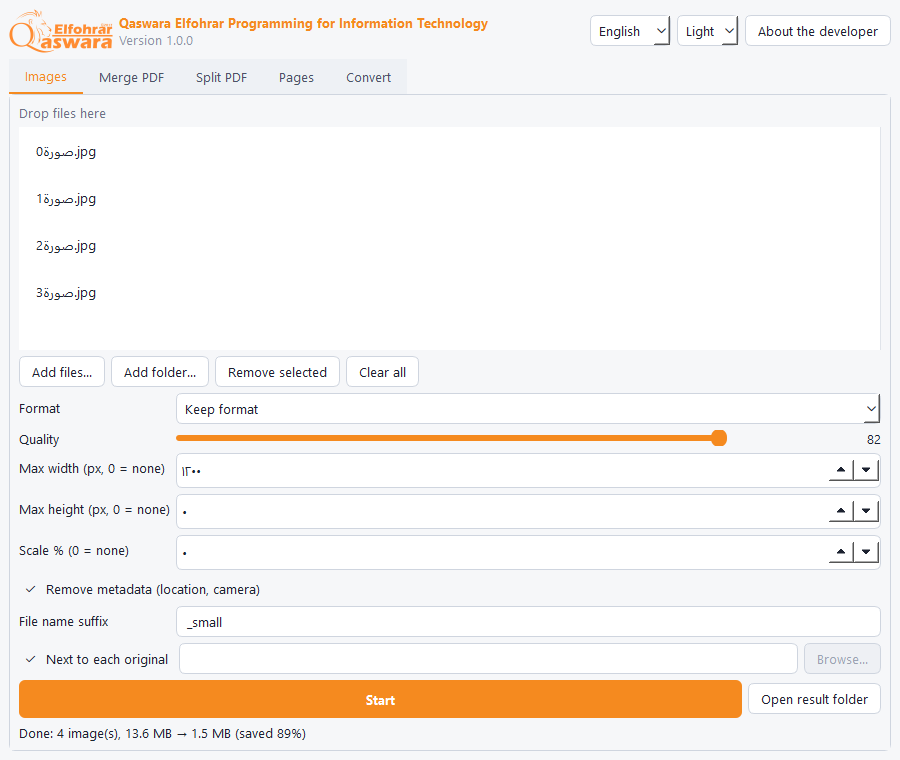
One portable program (a single EXE, no install) for the office jobs people need most: shrinking and compressing images in bulk, converting them between JPG, PNG and WebP, and merging, splitting and organizing PDF files.
Everything runs on your PC: no files are uploaded and no internet is used. You can run it from a USB stick.
Features
- Batch image compression and resizing: max width/height or %, quality control, and it shows how much space you saved
- Convert images between JPG, PNG and WebP, and optionally strip metadata (location, camera)
- Fixes phone photo orientation automatically and never overwrites your original
- Merge several PDFs in the order you choose
- Split a PDF: one file per page, every N pages, or by groups like 1-3;4-6
- Extract pages, delete pages, rotate pages (90° / 180°)
- Images to PDF (image-sized or A4 pages) and PDF to PNG/JPG images at the resolution you pick
- Supports password-protected PDFs and clearly says when a file is damaged
- Drag and drop files onto it; Arabic file names work
- Arabic, English and French, dark and light themes, no ads and no tracking
How to install
- Download the EXE (or the ZIP) and run QFTools.exe directly, no install.
- If "Windows protected your PC" appears, click More info then Run anyway. It shows for any new program that is not code-signed yet.
- Settings are saved in a data folder next to the program, so you can move it all to a USB stick. Delete the folder to remove everything.
Release notes
Version 1.0.09 Nov 2026
- First release: image compression and conversion, PDF merge/split/organize, images to PDF and back, in three languages
FAQ
Does it change my original files?
No. It saves the result as a new file (with a suffix such as _small) and never overwrites an existing file.
Can I convert Word to PDF?
No, this version handles images and PDF files only.
A PDF will not open?
If it is password-protected, type the password in the password box. If it is damaged you get the reason instead of a crash.